Go in with a plan.
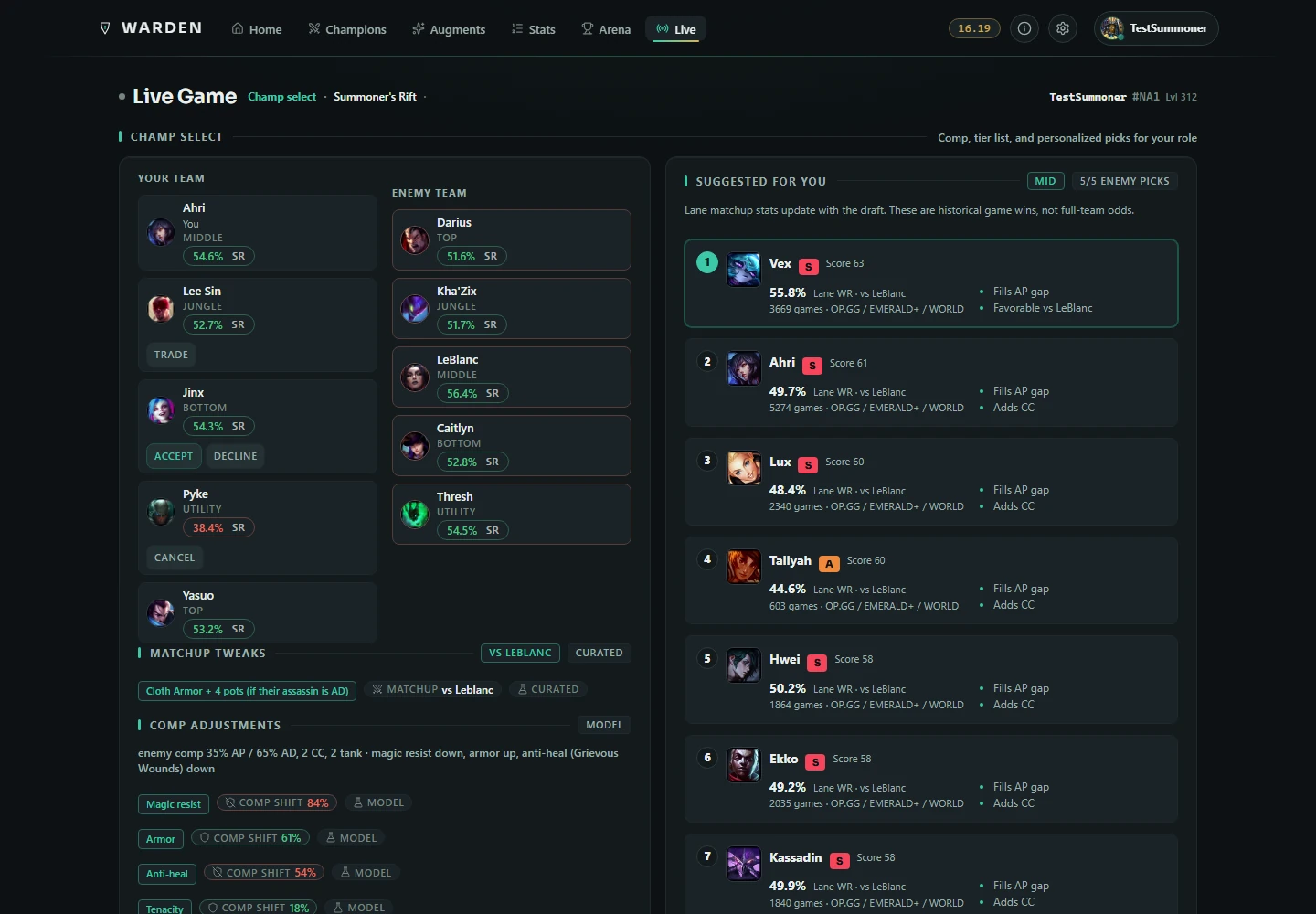
Role-aware builds, ban suggestions, matchup counters and team composition guidance. Import runes, items and summoner spells, or save a rune preset of your own.
YOUR NEXT GAME, A LITTLE CLEARER.
Free · Windows · Open betaFind your build. Make the call. Learn from the game. Warden brings your whole League session together in one quiet companion.
Download Warden for Windows ↗Explore the app ↓Free to use. No ads. No Warden account. No Overwolf.
ONE COMPANION. THE WHOLE SESSION.
Help when you need it, with room to play your way.
Role-aware builds, ban suggestions, matchup counters and team composition guidance. Import runes, items and summoner spells, or save a rune preset of your own.
An optional HUD for objective timers, damage threats, build progress and gold differences. Move panels, tune readability and save a layout for each mode.
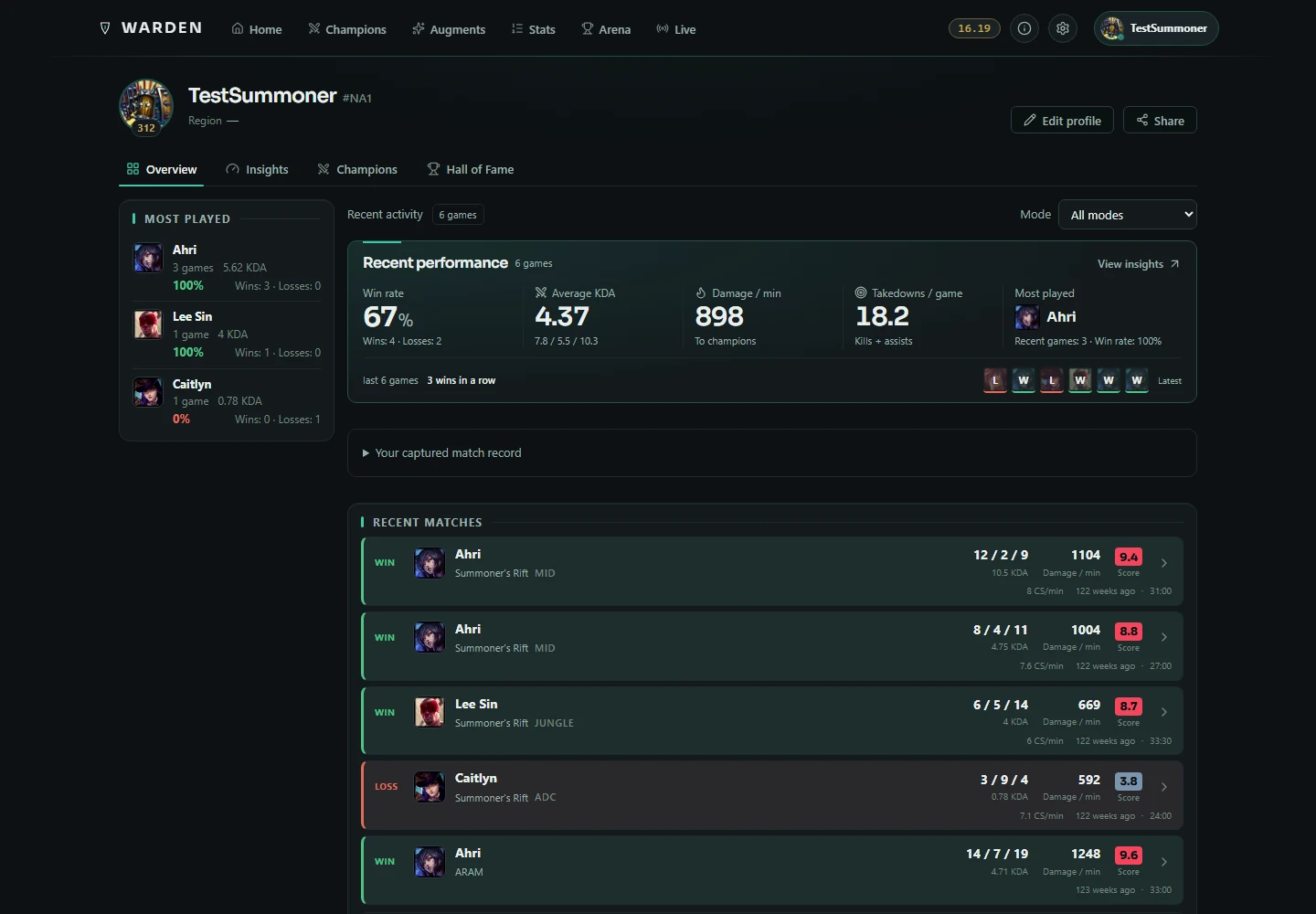
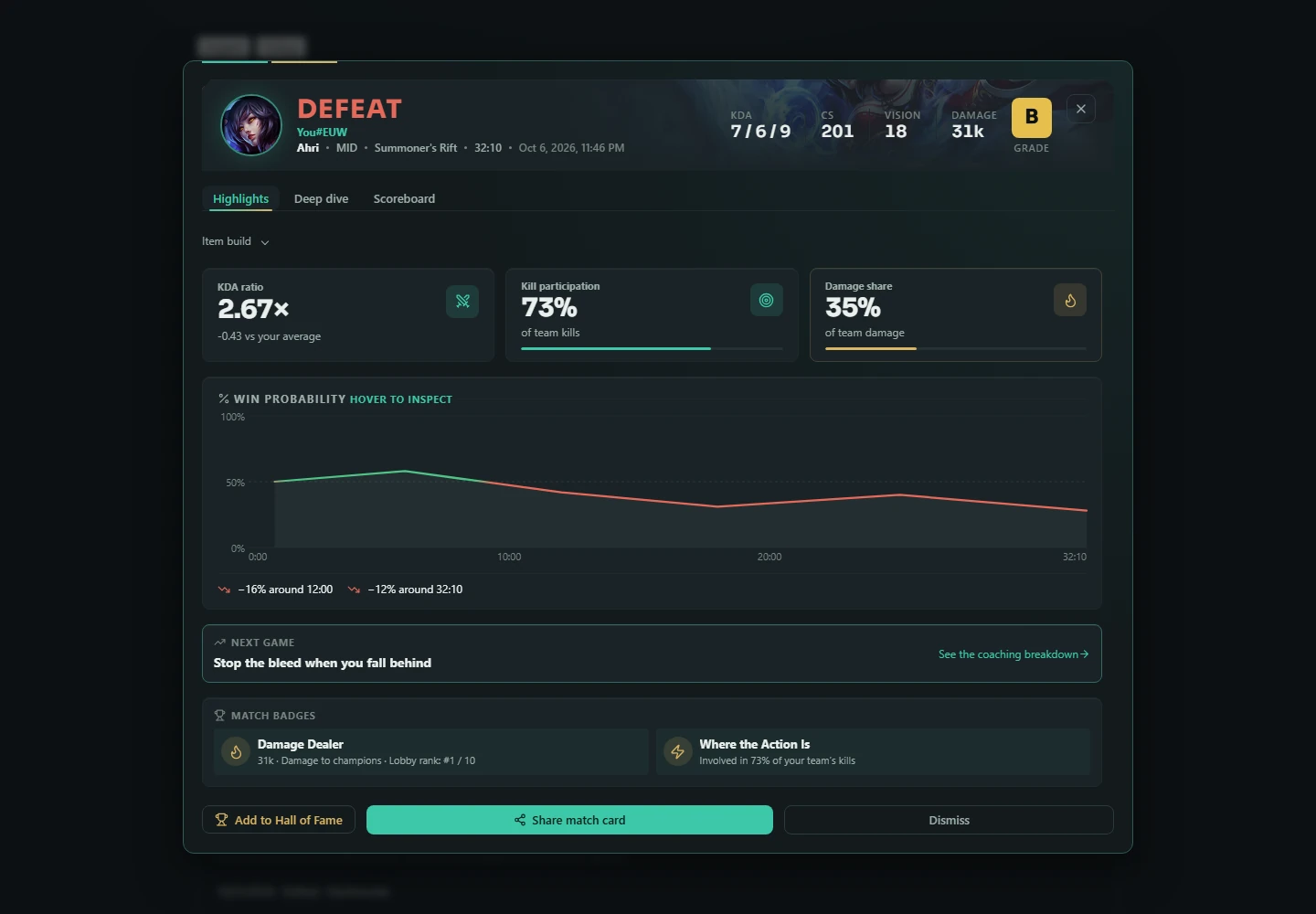
See performance explanations, farming curves, death and objective context, and comparisons with your past games. Save a standout match or share the highlights.
A CLOSER LOOK
Fresh captures of the actual app renderer.
Sample players and matches, captured October 6, 2026.
FOLLOW YOUR QUEUE
Builds for your role, historical lane matchups and measured build alternatives with samples and confidence. Draft recommendations adapt to the picks around you.
Compare bench options, find gaps in team coverage and queue a swap. Browse mode-specific augments, with Mayhem ratings that consider the stage of the game.
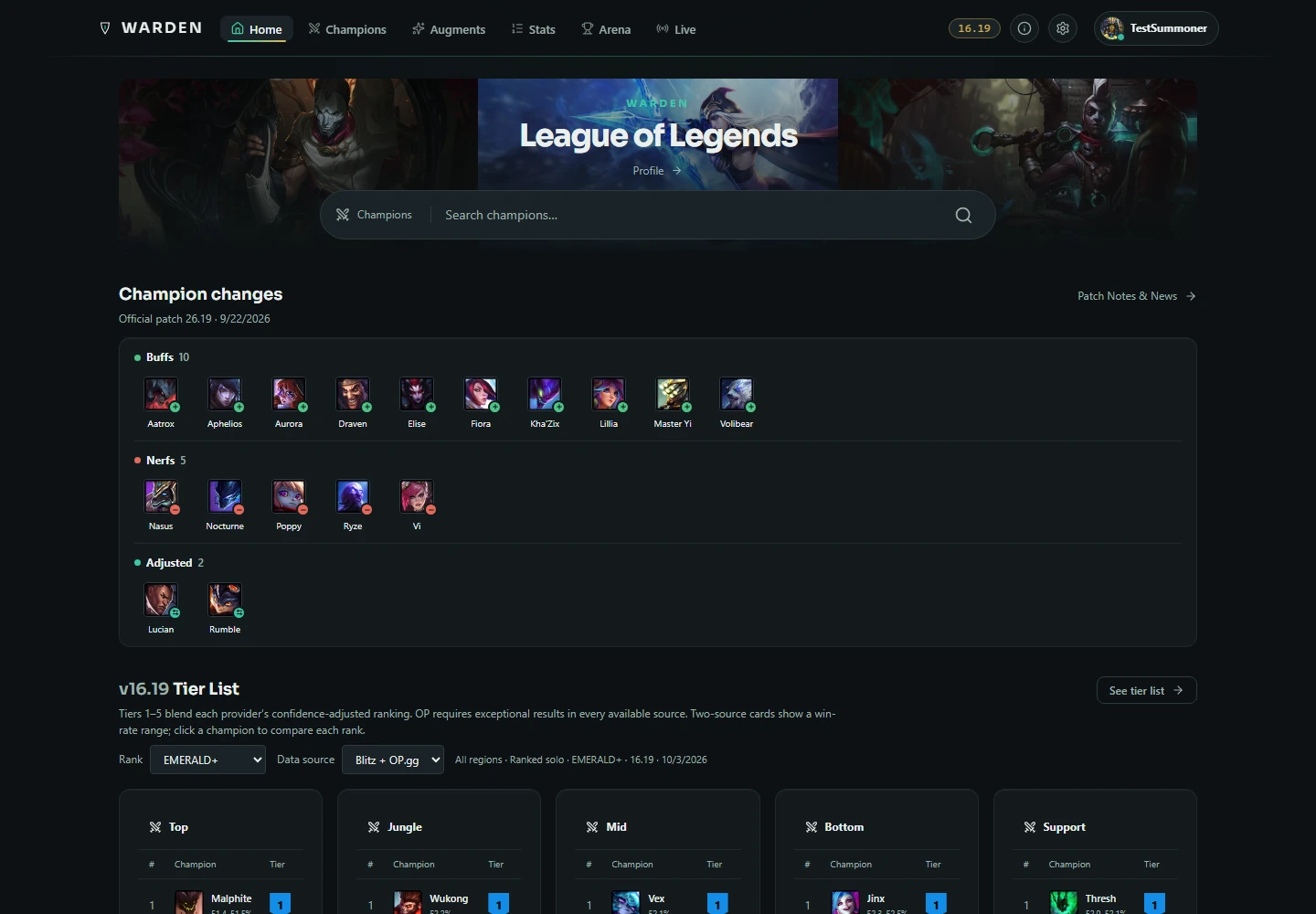
Current-patch champion tiers, duo synergies and augment guidance. In-game threat guidance focuses on the opponents in your current round.
Enable TFT in Settings → Labs for comps, units, items, traits, augments, a cheat sheet, shop odds and a team builder with Team Planner export. Reference tools and a static pinned-comp overlay; no live board or shop tracking.
MORE THAN A BUILD IMPORT
Create, save and import your own pages from the champion view. Compare measured item and rune alternatives with clearly labeled samples.
Loading-screen team damage scouting, core-item progress, inventory and gold comparisons, optional skill prompts, and next-buy guidance for the Rift. Use Borderless or Windowed; overlays pause in Fullscreen.
Explainable local coaching with optional voice. Inspect the reasoning behind a callout. Extra voice providers and conversational features depend on their configuration.
Revisit up to 200 saved local matches per account. Explore sessions and timelines, compare your own games, keep favorites in the Hall of Fame and export share cards.
Set a one-time alert for when a friend comes online, finishes a game or becomes available. Choose triggers and a message for each friend.
Explore champion rankings with rank filters, compare win, pick and ban rates, read champion patch changes and check synergies and objective preparation guides.
No ads, no Warden account, and a standalone Windows app. Your rune pages stay yours: Warden manages only the pages and item sets it creates.
Samples, sources and confidence sit beside recommendations. Estimates are labeled. Optional reporting and data sharing are explained in Settings; review your preferences there.
BUILT WITH YOUR FEEDBACK
Warden is in open beta. Builds, imports, overlays and match review are available today; TFT is an optional Labs beta. Windows 10 and newer are supported. Mac releases are currently paused.
Join the Discord ↗Read the latest release notes ↗Never. Warden creates clearly named rune pages and item sets of its own. It will not delete or overwrite anything it didn't create, so it can run safely alongside other tools.
Warden talks locally to the League client already running on your PC. It uses the client connection to understand champ select and to create your selected loadout. There is no Warden account and nothing to sign in to.
Warden uses the same local League client interfaces that other companion apps use, and everything it does is something you could do by hand in the client: read champ select, then create a rune page and an item set. It doesn't automate gameplay, read game memory or modify game files. Optional overlays use local live-game data; some augment tools use screen text recognition. We went through Riot's published League Client API policy line by line in a separate note on bans and third-party apps, including the one regional restriction most app pages leave out.
Yes, and it stays free. Most people land here after using Blitz, Mobalytics, op.gg or Porofessor and wanting something smaller and quieter. Warden covers the daily-driver features: mode-aware builds, one-click rune and item import, and augment rankings for Arena and ARAM. There are no ads and no account required. We put the full picture in an honest roundup of the companion apps, covering Blitz, Mobalytics, Porofessor and OP.GG Desktop one by one.
Yes. Warden switches its whole recommendation model with the queue. Summoner's Rift gets a full role-aware build with runes, summoner spells, skill order and item path. ARAM and Arena get augment rankings alongside the build, because augments are what actually decide those games. More on that in the ARAM and Arena note.
Most game data is the same for every player and can be delivered efficiently as static data. Optional premium features may arrive later, but Warden will stay clean and useful without ad clutter.
The app is actively evolving. Builds, imports, opt-in overlays, live coaching and match review are available today, with TFT offered as an optional Labs beta. Some features depend on the queue, available data or your settings. Warden is free to use; share feedback in Discord.
Join us in Discord and tell us. Questionable build, annoying bug, missing feature, wild idea—we want to hear it. We're building this with you, and even a quick ‘hey, this feels off’ helps.
If Warden is acting weird, open Settings and hit Copy diagnostics data. Drop that data to any of our developers in Discord with a quick note about what happened. Champion, queue and patch help too, if relevant. It gives us clues so we're fixing the bug instead of playing detective.
Windows 10 and newer are supported. Mac releases are currently paused.
Warden uses the same local League client interfaces used by companion tools. It is an independent product and is not endorsed by Riot Games. It also runs standalone, with no Overwolf platform involved, which we cover in the no-Overwolf note.
Neither. Warden here is a free companion app for League of Legends, not the tank class, the item, the skin line or the TFT trait. It's a program you run on your PC: it reads champ select and imports builds and runes in one click.
Your next queue starts here
Draft smarter, keep useful guidance close, and get more from the games you play. Download the free Windows beta and make Warden part of your next session.
Download Warden